blipYard

Focused apps for your devices.

blipYard is an independent studio making apps to improve your workflow.

Out now

7 apps

MacZones

Window zones you draw yourself.

  • macOS
  • $9.99
  • 14-day free trial
Get MacZones
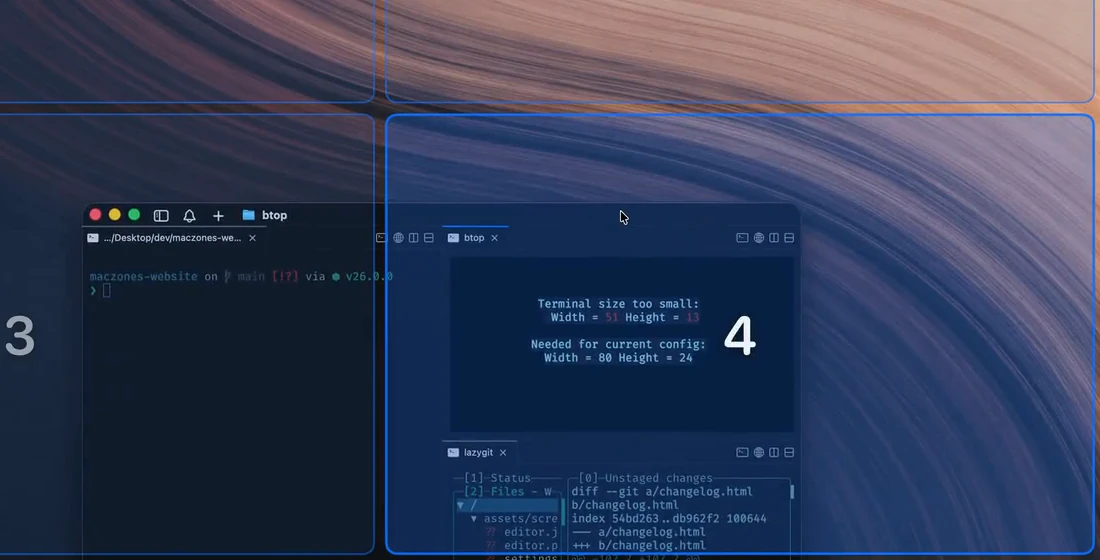
MacZones while dragging a window: numbered zones over the desktop, with zone 4 highlighted under the window

Turny

Volume for every app on your Mac.

  • macOS
  • $2.49
Get Turny
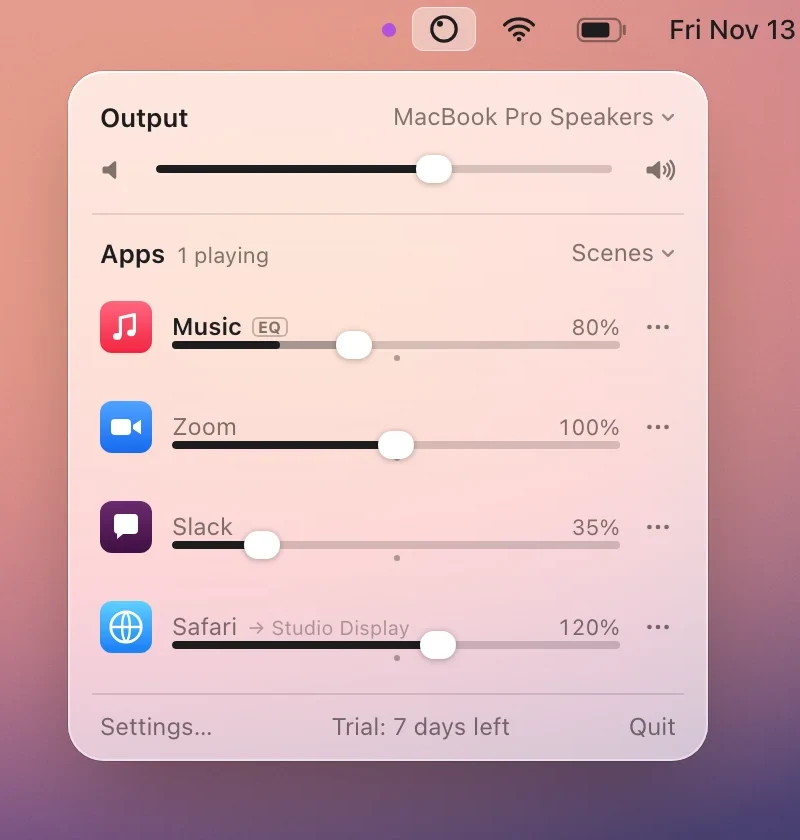
Turny’s panel open under its menu bar icon: output volume, then Music at 80% with EQ, Zoom at 100%, Slack at 35%, and Safari at 120% sent to a Studio Display

blipJar

Notes and tasks, side by side.

  • Web, desktop and phone
  • Free
  • Beta
Get blipJar
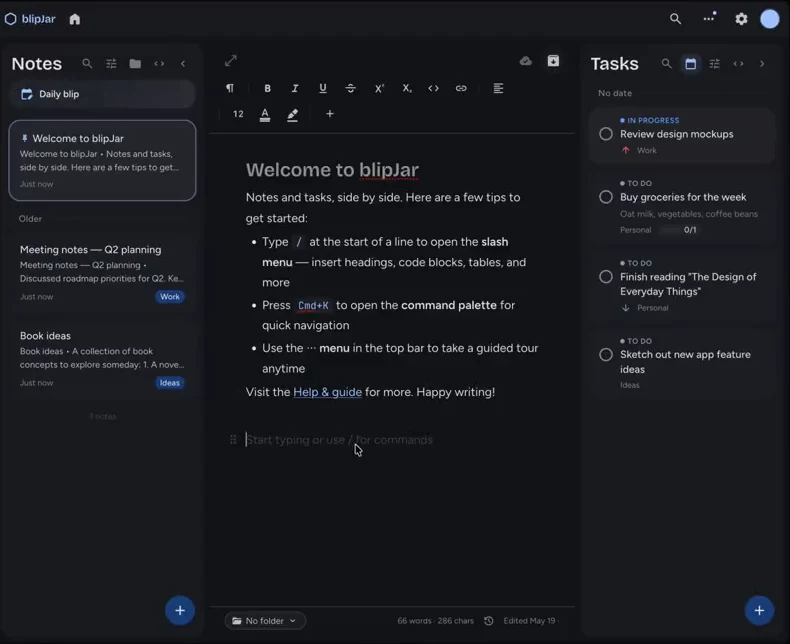
blipJar with the Notes list, a note open in the editor, and the Tasks panel

Tudo

A to-do list and notebook for your terminal.

  • macOS and Linux
  • FOSS

brew install jolleydesign/tudo/tudo
Get Tudo
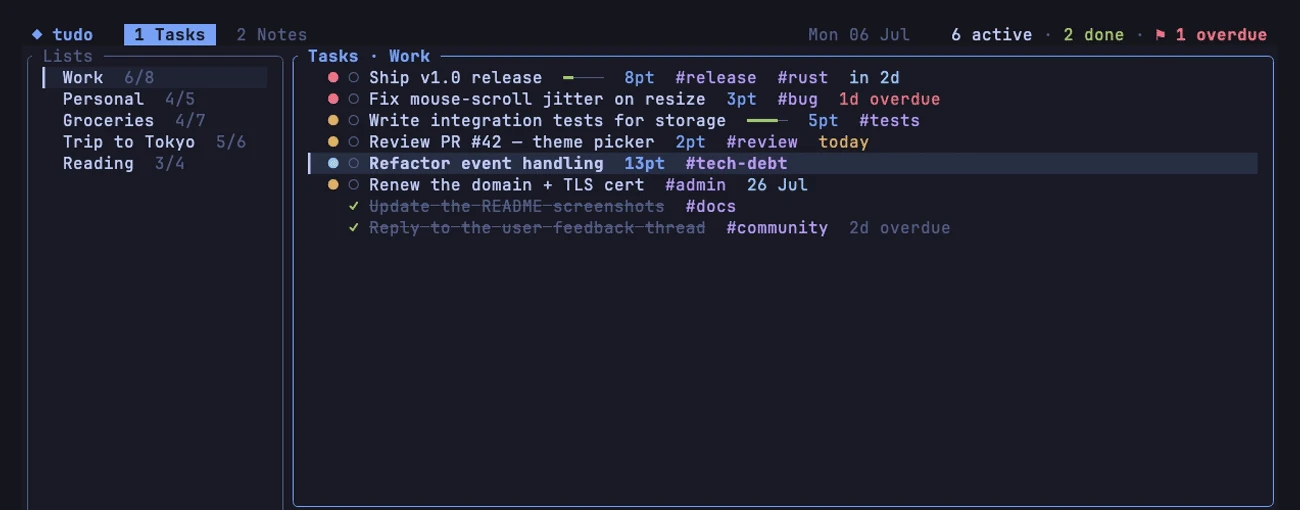
tudo’s task list in a terminal, using the Tokyo Night theme

Windock

A clean dock for Windows 10 and 11.

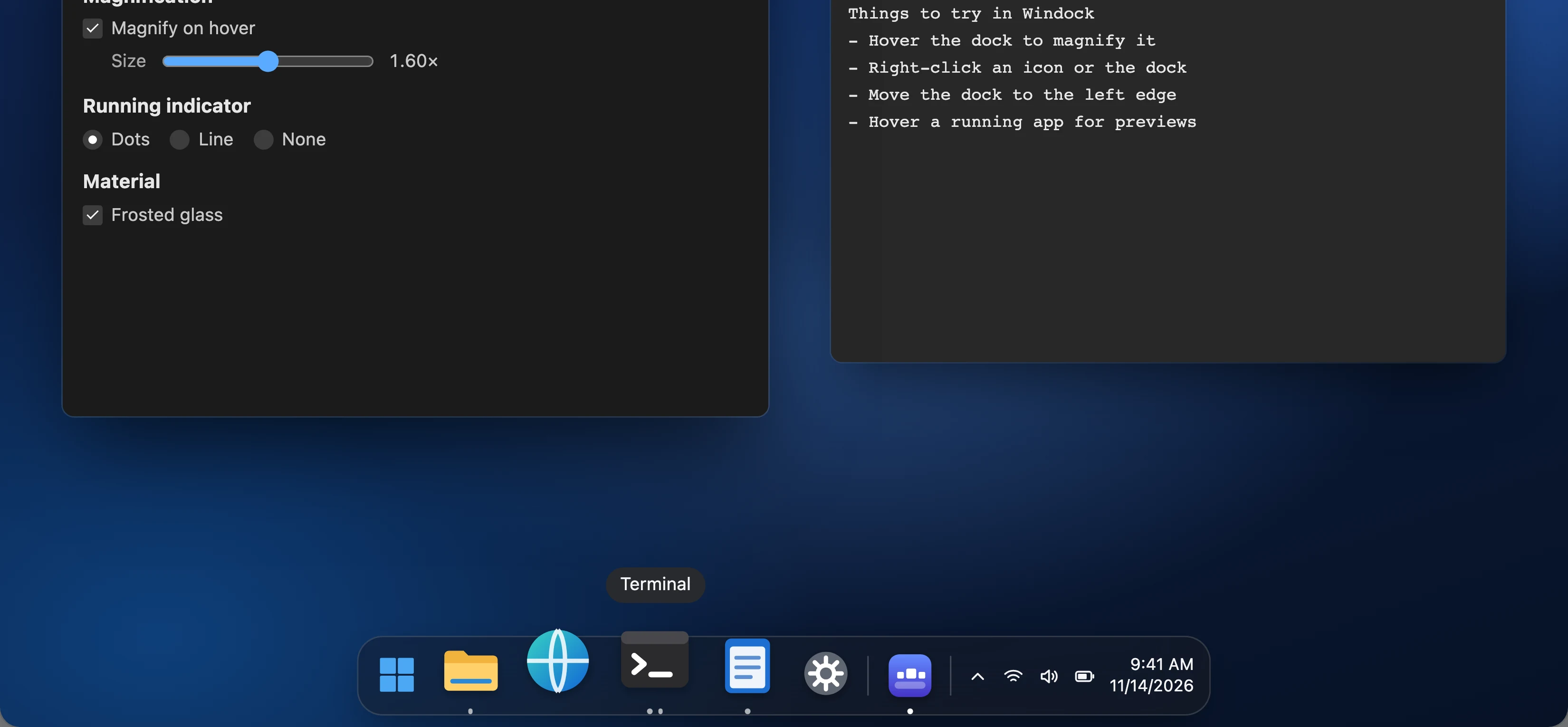
Pinned and running apps, live window previews, optional magnification, on any edge of any screen. Native code that uses about 25 MB of memory and needs nothing else installed.

  • Windows 10 and 11
Windock at the bottom of a Windows 11 desktop, magnified under the pointer with the Terminal label showing

Coming soon

2 apps

Miniwrite

A quiet place to write Markdown.

  • macOS
  • Coming soon
Get notified
Miniwrite in Focus mode: earlier text is dimmed and only the sentence being written is lit

Slidebox

Reference images that stay on top.

  • macOS
  • Coming soon
Get notified
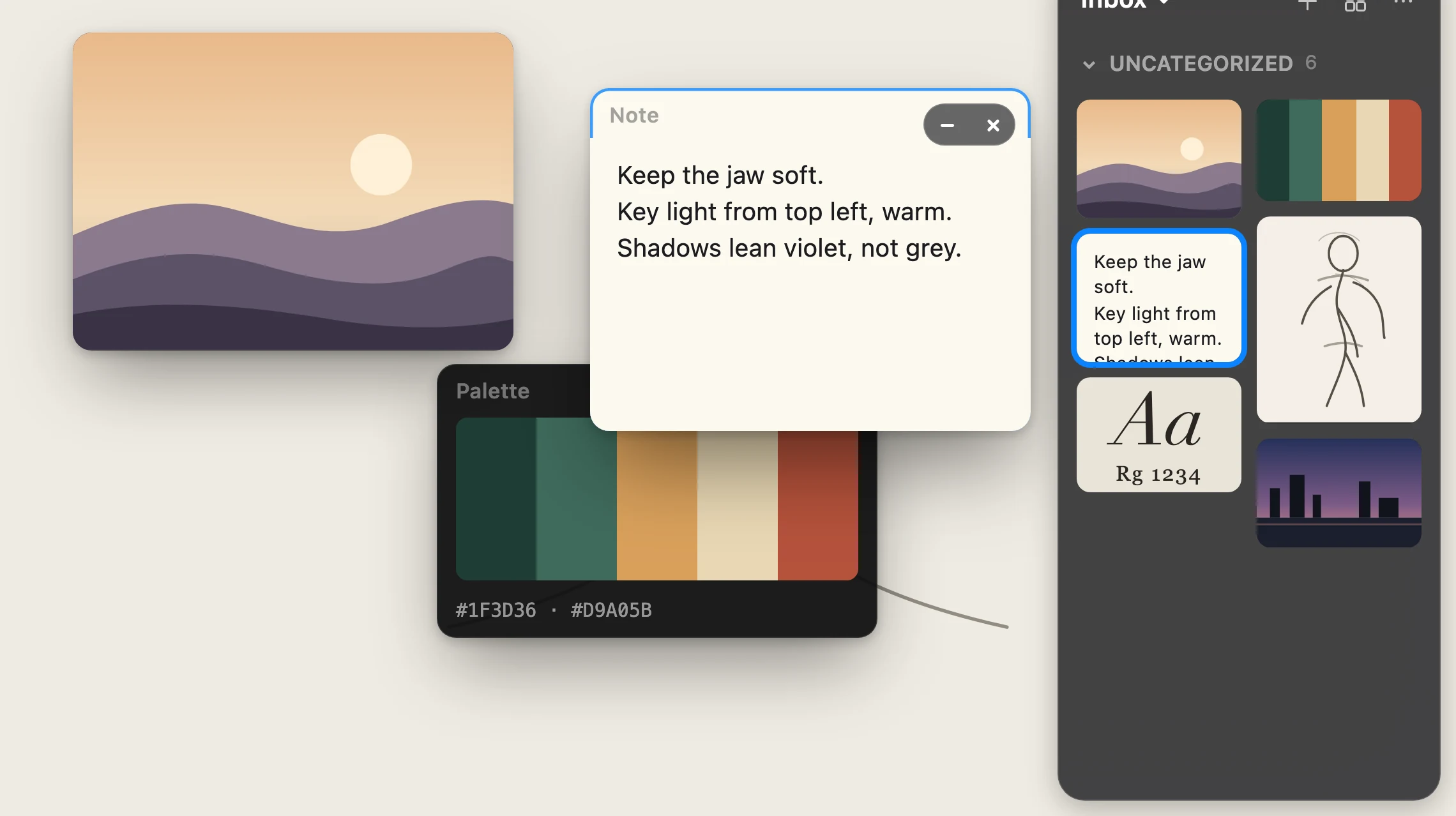
Slidebox frames floating over a sketch, with the Inbox library docked on the right

Hear when the next one ships.

One email when Miniwrite or Slidebox launches. Nothing else.
Questions or bugs: hello@blipyard.app

Thanks, you're on the list.